
How ReminderStream works
Less remembering.
More living.
A school flyer. An appointment email. A week full of little things. Turn the dates hiding in your messages into reminders you can actually use.
Free today · Your time zone · Your choice of reminder timing
From “don’t forget” to all set
School Spirit Week
One email. One attached flyer.
Five days, neatly organized
Pajama Day
Superhero Day
Crazy Hat Day
Favorite Color Day
School Colors Day
October 19–23, 2026 · All day · Fictional example
- 01
Send something with a date
Email a notice, forward a message or include a supported attachment.
- 02
Check what we found
Clear dated email events save automatically. Review anything uncertain.
- 03
Make the timing yours
Choose when to be reminded, manage events and save calendar copies.
Your inbox already
has the details.
Permission slips, appointment confirmations, activity schedules. Send just the messages you want help remembering. No direct mailbox connection needed.
Read the email setup guide →Try one email today
- 1. Use your verified emailSign in and check your verified, enabled address and receiving status in Settings.
- 2. Send, forward, Cc or BccInclude the event details and keep any supported files attached.
- 3. Check your remindersOpen History to see what was received, which events saved and what still needs review.
Your manual email destination
add-event@inbox.reminderstream.com
Use this for messages you send or forward yourself from a verified account address. Automatic forwarding uses a different, personal destination.
A little setup, less repetition
Learn to forward the emails that matter.
Our guides show where to find your provider’s controls, select a school sender and confirm a destination. Gmail setup has illustrated steps. Other providers have their own rules and plan limits.
Gmail
Filters for a sender or school domain
Outlook / Hotmail
Selected messages with inbox rules
Microsoft 365
Rules, subject to your organization’s policy
iCloud Mail
Choose messages with Mail rules
Yahoo Mail
Whole-inbox forwarding on eligible paid plans
Proton Mail
Conditional forwarding on paid plans
Fastmail
Forward a copy with Filters & Rules
Zoho Mail
Filters and verified destinations; plan limits apply
Before switching a rule on: Gmail destination confirmation is available in Settings, but automatic event processing is not active yet. Other providers’ ReminderStream enrollment is not available. Wait for your provider and receiving to be available in Settings; use its assigned personal address, keep a mailbox copy and forward only selected messages. Yahoo’s documented option forwards the whole inbox. You can manually forward individual messages today.
One flyer. Five fewer
things to keep in your head.
You don’t have to retype every date in a school newsletter. A clear image can hold a whole week of events.
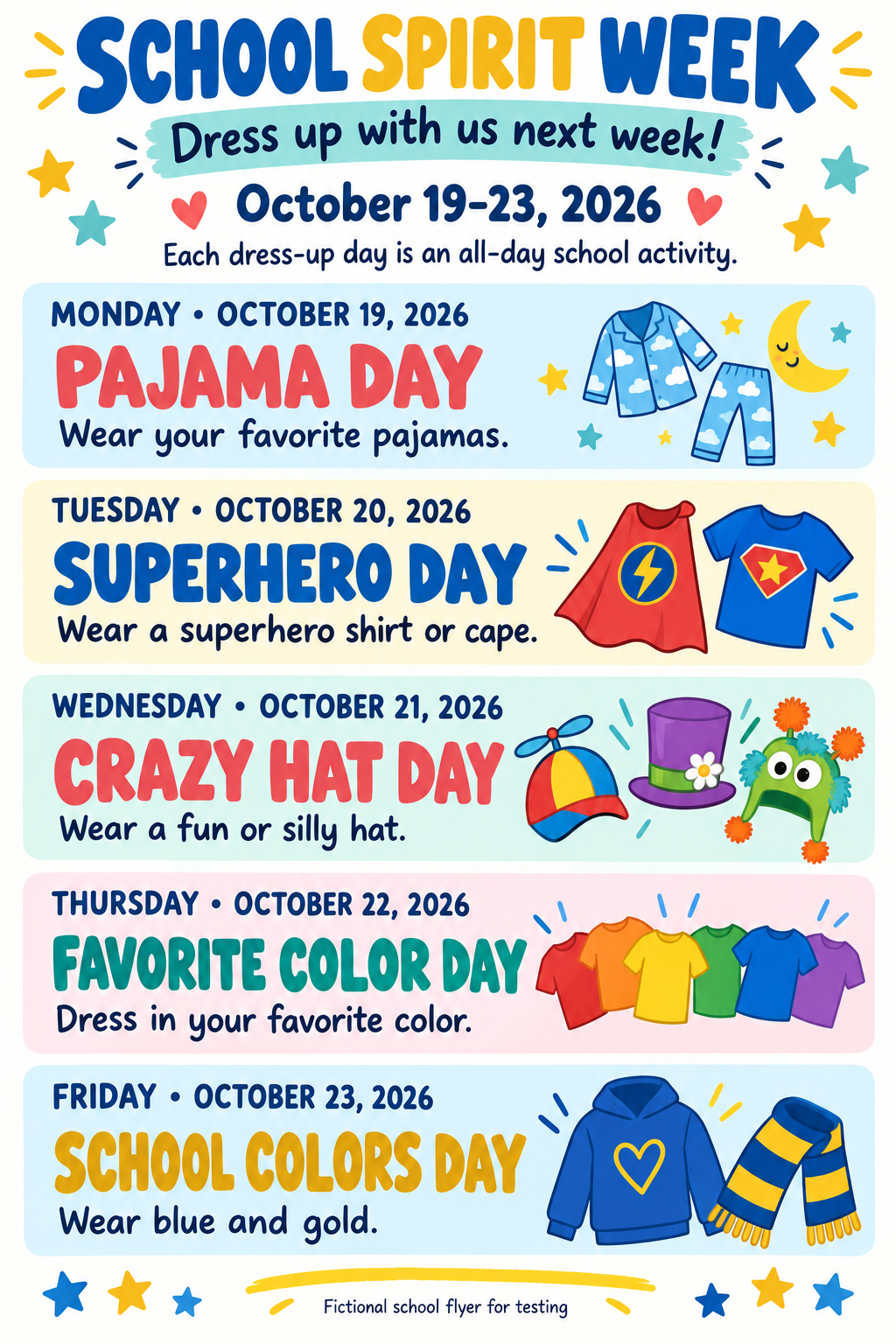
Five separate events saved in our test
October 19–23, 2026 · All day · America/Chicago
- Mon19
Pajama Day
Wear your favorite pajamas.
October 19, 2026 · All day
- Tue20
Superhero Day
Wear a superhero shirt or cape.
October 20, 2026 · All day
- Wed21
Crazy Hat Day
Wear a fun or silly hat.
October 21, 2026 · All day
- Thu22
Favorite Color Day
Dress in your favorite color.
October 22, 2026 · All day
- Fri23
School Colors Day
Wear blue and gold.
October 23, 2026 · All day
The flyer’s five dates became five all-day events in a real email intake test. This is an example, not a promise that every file will be read perfectly. Check the original and your saved events.
More than pictures
Supported PNG, JPEG and WebP images, bounded PDFs, and UTF-8 TXT/CSV files can be analyzed with the email. Clear dated events save automatically; unclear dates, unreadable content and incomplete analyses need review. File size and page limits apply.
Supported formats, limits & AI processing →A quick text.
A little more organized.
Once SMS event intake is enabled, send an event from a verified U.S. mobile number on your account. We’ll help turn the details into a draft you can check and confirm.
- Verify your phone in Settings. Use the ReminderStream number shown there when texting is available.
- Send the event with a specific date and time. We use your account time zone.
- Check the proposed details. Reply 9 to save or 0 to cancel.
SMS is awaiting provider approval and is not active. Recurring text reminders need separate consent. Reply STOP to stop texts; message and data rates may apply. Your account shares 60 SMS per rolling 30 days, including codes and service replies.
Explore text commands & availability →Check your event
Dentist appointment
November 4, 2026 · 3:30 PM
America/Chicago
9 to save · 0 to cancel
Fictional conversation · No text has been sent
Built for the things you actually need to remember.
Make it yours
Choose your time zone, reminder offsets and quiet hours. Email reminders use enabled, verified addresses; you can pause and reactivate them.
Keep dates useful
Duplicate checks help avoid repeats. Save up to three events per local date. Edit, snooze, complete or cancel them in the app.
Take it to your calendar
Open a saved event’s calendar options for Google Calendar or an ICS copy. Copies are independent; later edits don’t synchronize.
Early access. Check Settings for current receiving and delivery availability.
AI can make mistakes. We store derived event details and summaries rather than a raw-message archive; processing providers may temporarily retain content. Read our Data Policy.